Droxalvi
Luma Deck
Luma Deck
Couldn't load pickup availability
1. Problem Statement
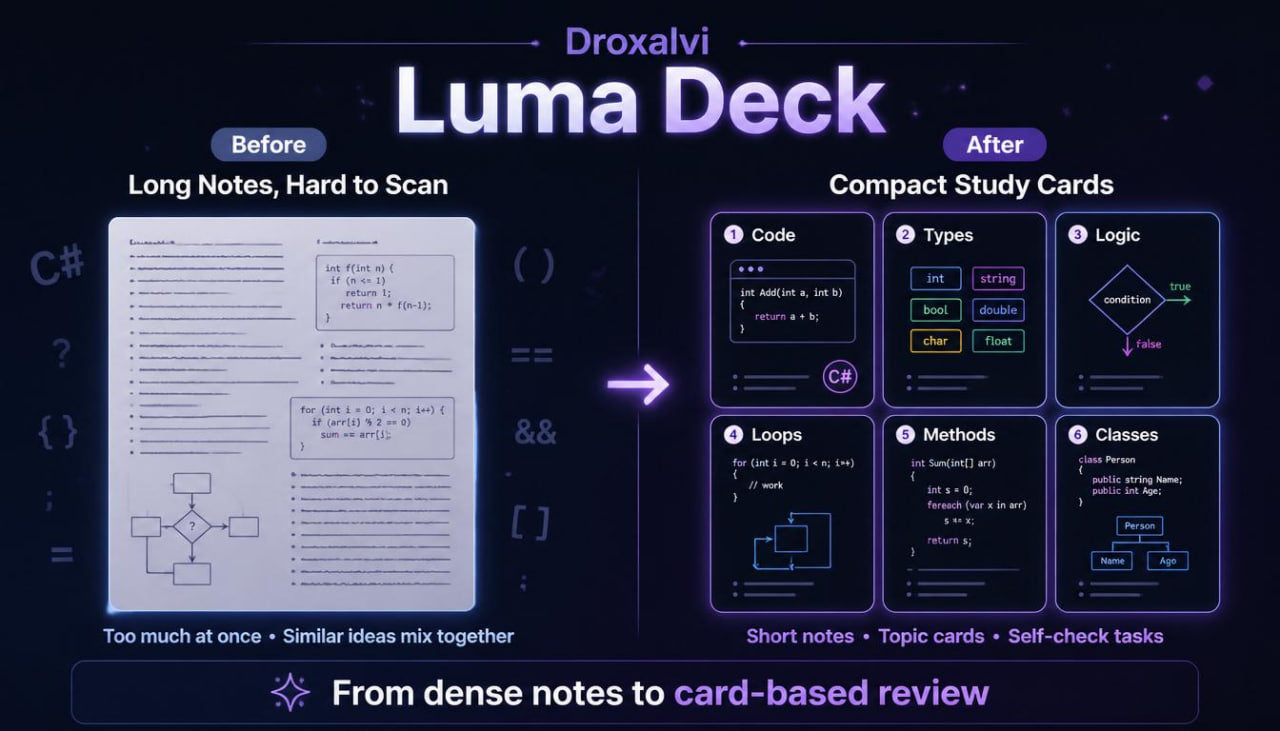
When the learner has already studied several C# topics, a different difficulty appears: there is a lot of information, and reviewing it through large sections is not always convenient. Variables, conditions, loops, methods, classes, objects, and collections may already be familiar, but during a practical exercise, the learner may need to recall a specific idea. When the material is presented only as long text, the needed rule or example may get lost among other explanations. It can also be hard to notice the difference between similar topics, such as a parameter and a variable or a field and a property. Luma Deck was created to present C# as a set of collected study cards that help review topics in parts.
2. Solution
Luma Deck organizes learning through short blocks: topic card, explanation, example, diagram, and review task. This format helps the learner return to the needed topic without reviewing a whole large section. Each card has one clear idea: for example, how a condition works, how a method accepts a parameter, or how a loop moves through a group of values. The materials do not replace full explanations; they add a convenient format for review. With this format, the learner can see the C# structure more clearly and gradually strengthen understanding of important ideas.
3. What’s Inside
Luma Deck includes a set of study cards and review materials that cover core C# topics in a compact format. Each part is built so the learner can focus on one topic at a time and avoid getting lost in extra details.
The first block contains cards on basic C# structure. They explain how code is read, what blocks, braces, lines, commands, and execution order mean. The cards are built in a short format: first the idea, then a mini example, then an explanation of what happens in the code. This approach is useful for review before working with broader examples.
The second block focuses on variables and data types. The learner receives cards about numbers, text values, logical values, variable names, and the role of a type in a task. Separate cards show the difference between a value, a name, and a type. There are also short exercises where the learner chooses which type fits a given value or explains why a variable name is unclear.
The third block reviews conditions. The cards explain a basic check, several choice variants, a nested condition, and combining conditions with logical operations. The learner sees small diagrams that show how code moves through one branch or another. There are also reading exercises where the learner explains what will happen with different values.
The fourth block focuses on loops. The cards show how repetition works, what a counter is, where a loop starts, when it ends, and what changes after each step. The examples stay short, but they demonstrate real training situations: repeating an action, counting, moving through a group of values, and building a result gradually. Diagrams help show the movement of a loop from the first step to the ending point.
The fifth block reviews methods, parameters, and returned values. Here, the learner sees cards about a method name, input data, a result, and the place where a method is called. A separate explanation shows the difference between a method that performs an action and a method that returns a result for later use. In the exercises, the learner identifies which part of code can be moved into a method or which parameter is needed for a task.
The sixth block focuses on classes and objects. The cards explain how a class describes a structure, while an object works with specific values. The learner sees examples of fields, properties, and methods inside a class. There are also short comparisons: class and object, field and property, method inside a class and method outside a class. This helps separate similar ideas more clearly.
The seventh block introduces collections. The learner works with cards about lists of values, moving through elements, searching, counting, and basic data processing in training examples. The materials show how collections connect with loops and conditions. For example, a loop moves through values, while a condition checks each element.
A separate part of Luma Deck includes “compare the ideas” blocks. They present pairs of topics that learners often confuse: variable and parameter, method and functional block, class and object, loop and condition, list and single value. Each pair includes a short explanation, an example, and a recognition task.
The plan also includes self-check cards. The learner reads a short code fragment and answers questions: what this line does, which value will change, how many times the loop will run, which method will be called, or which field is used in the object. This format helps the learner read C# carefully and notice details.
Luma Deck is created as a study tool for review and support of previous topics. It is especially useful when the learner needs to return to a specific idea, review an example, or refresh the logic before a practical exercise.
4. Who is this for?
Luma Deck is for learners who already have a basic introduction to C# and want to review material in a compact format. This plan fits those who like working with short explanations, diagrams, examples, and cards.
It also suits learners who have already studied variables, conditions, loops, methods, classes, and collections, but want to separate these ideas more clearly. The materials help not only read a topic, but also compare it with other parts of C#.
Luma Deck may be a convenient choice for learners who often return to previous topics during practice. Instead of reviewing a long section again, the learner can open a short card, look at an example, and move to an exercise.
5. What You’ll Learn
After working with Luma Deck, the learner will be able to review C# topics through short structured blocks and distinguish similar ideas more clearly.
- How to read short C# fragments through study cards
- How to review basic code structure
- How to distinguish variables, values, and data types
- How to read conditions through simple diagrams
- How to identify the code direction after a check
- How to understand loop movement step by step
- How to see the role of a counter in repetition
- How to recognize parameters in methods
- How to distinguish a method with a result from a method without a result
- How to read a simple class and object
- How to understand fields, properties, and class methods
- How to work with short collection examples
- How to compare similar C# ideas
- How to use cards for review before exercises
- How to answer code-reading questions
6. Purchase Terms
Luma Deck is one of the paid Droxalvi plans. This plan includes a 30-day period during which the buyer may submit a refund request according to store terms.
Self-paced learning overview
- 🗂️ Digital file available after purchase
- 📚 Long-term availability
- 🔐 Secure checkout
- 📝 Content updated in 2026
What is included in Droxalvi learning materials?
What is included in Droxalvi learning materials?
The materials include structured lessons, explanations, code examples, practical tasks, short summaries, and study notes. Each plan has its own topic range and level of detail.
Are these courses suitable for beginners?
Are these courses suitable for beginners?
Yes, the first plans are created for an introduction to C# without heavy wording. The materials gradually introduce basic ideas, syntax, variables, conditions, loops, and work with simple examples.
How does the learning process work?
How does the learning process work?
The learner studies at a personal pace, moving from explanation to example, and then to a practical task. This format helps build understanding through order and repetition.
Share